If you have tried to reduce screen time by promising yourself you will just use your phone less, you already know how that usually ends. The promise holds in the morning and quietly disappears by the evening. This guide shows you how to set up your phone and your day so that using it less happens by default, without deleting every app or treating your phone like the enemy.
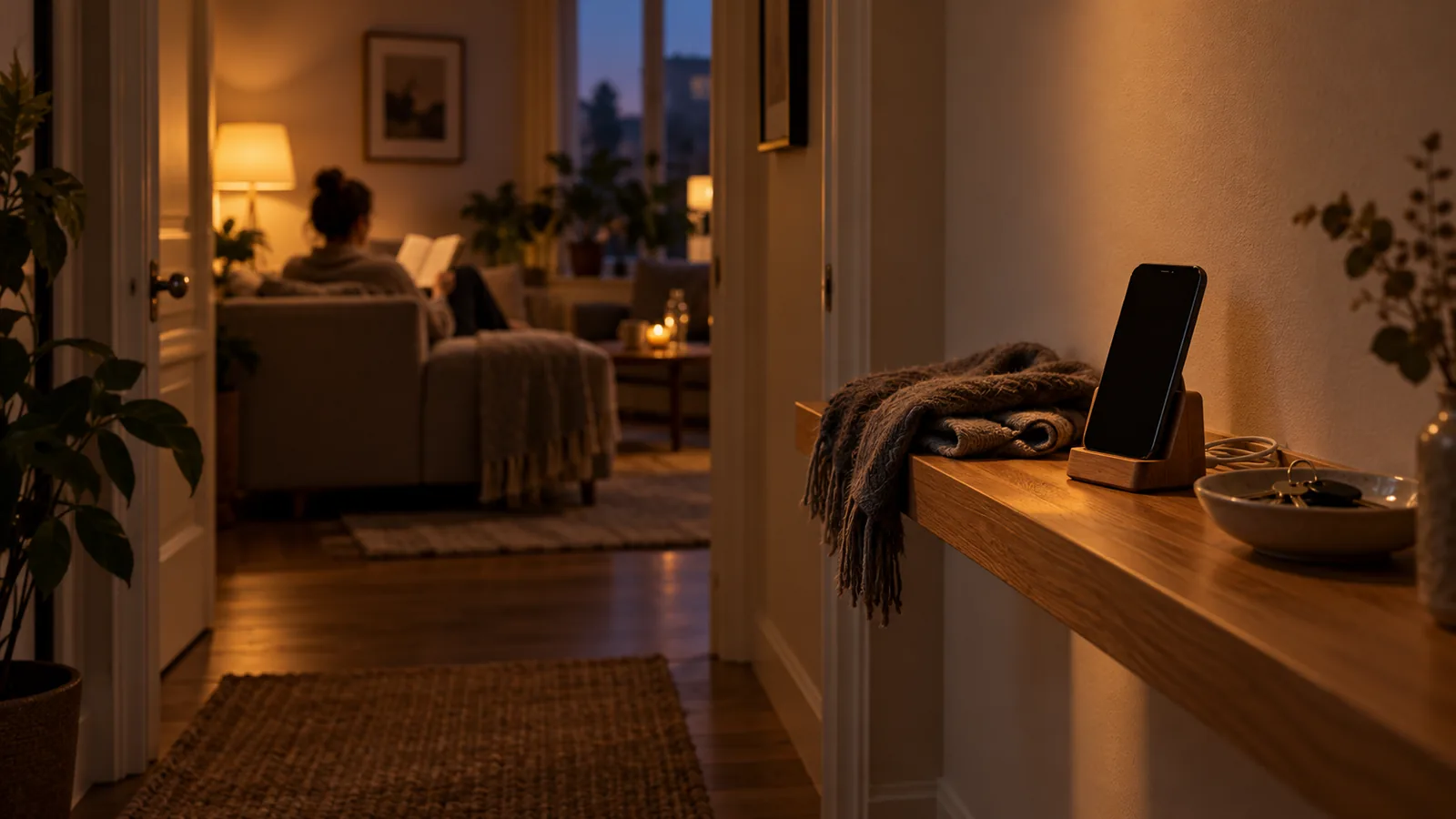
The calmest evenings start with a decision made before the phone could argue.
Why It Is So Hard to Reduce Screen Time
Most screen time is not a decision. It is a series of small moments that never feel like they count:
- Checking your phone while a page loads
- Opening a social app as soon as you sit down on the couch
- Watching “one more” video after getting into bed
- Picking up the phone when a work task feels hard
- Scrolling while you wait for a coffee, a train, or a reply
Each moment is short, and each one is easy to justify. Together, they add up to hours.
Willpower struggles here because it is needed most exactly when it is weakest. Late in the evening, after a long day, or in the middle of something frustrating, saying no to a phone that is already in your hand is hard for almost everyone. That does not mean something is wrong with you. It means the plan depended on the wrong thing.
Not all screen time is the problem, either. Calling a friend, following a recipe, or reading a long article on purpose is not the same as checking the same three apps for the fortieth time. The useful question is not “How do I use my phone less?” It is “Which screen time do I want less of, and when?”
Ways to Reduce Screen Time Without Relying on Willpower
The steps below move decisions out of the difficult moment and into a calm one. You decide once, set things up, and let the setup carry the weight.
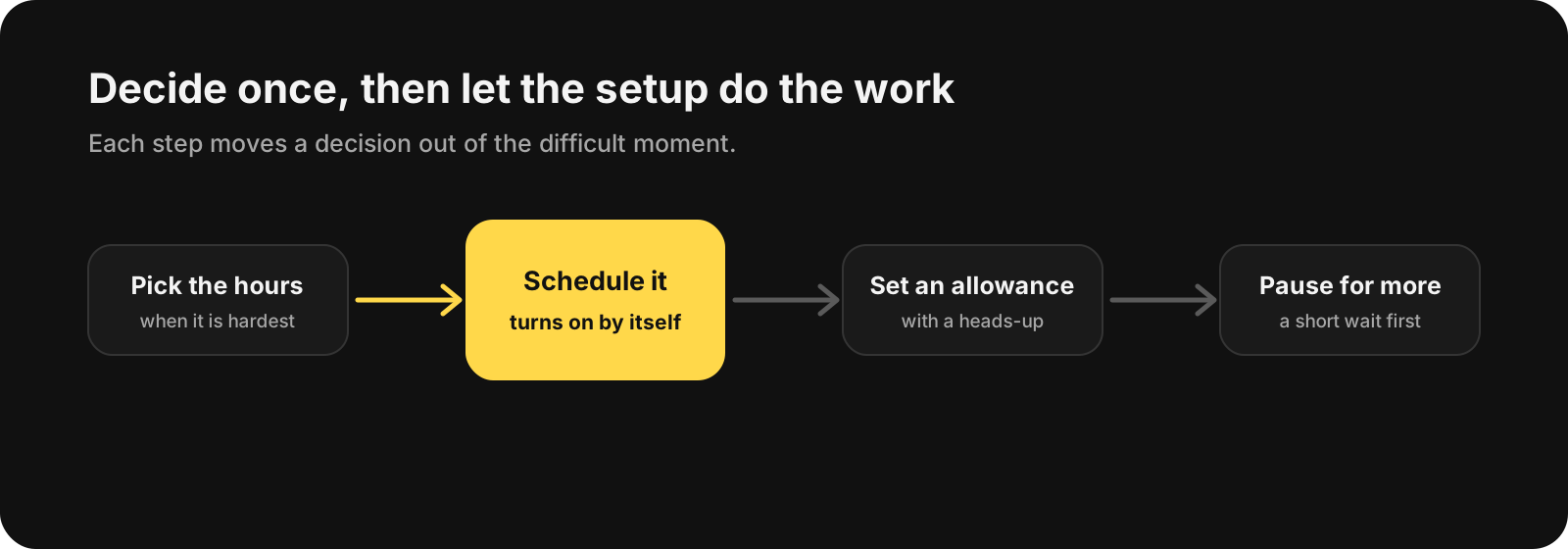
Each step moves a decision out of the difficult moment and into a calm one.
1. Decide Which Screen Time You Actually Want Less Of
Before changing anything, spend two or three days noticing where your time goes. You do not need perfect data. You only need a rough picture.
For example:
- Which apps do you open without meaning to?
- At what time of day does a quick check turn into an hour?
- Which apps leave you feeling worse afterward?
- Which ones do you genuinely want to keep using?
Most people find that a few apps and a few times of day account for most of the time they regret. That short list is where to focus. The rest can stay as it is.
If the main issue is endless feeds, our guide on how to stop scrolling and break the endless scroll habit goes deeper into interrupting that particular loop.
2. Make the Decision Once, Not Every Evening
Every time you negotiate with yourself in the moment, the phone has an advantage. It is right there, and the reward is immediate.
A better approach is to decide ahead of time, when you are calm, and turn the decision into a simple rule:
- No social apps before 9 a.m.
- No video apps during work hours
- Phone out of reach after 10 p.m.
- One look at the news at lunch, not twenty
Rules like these work because they remove the question. You are not deciding whether to open the app. You already decided.
3. Put Your Hardest Hours on a Schedule
Once you know your difficult times of day, make the rule automatic. A scheduled block turns on at the time you chose and turns off again later, without you having to remember or resist.
You might schedule:
- A work block that covers social and video apps during focused hours
- An evening block that starts an hour before bed
- A morning block so the first thing you see is not a feed
This is where an app blocker helps most. In BlockMyApps, for example, you put the apps you want to limit into a group and attach a schedule to it, so the block turns on and off automatically.
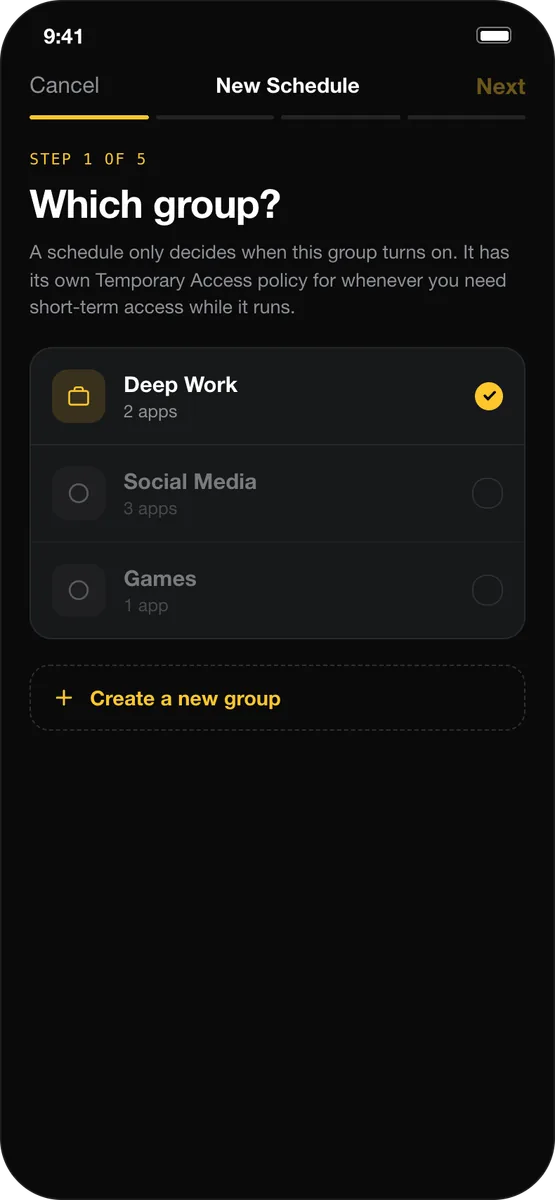
Attach a schedule to a group once, and the block starts on its own.
Keep the first schedule small. A one-hour evening block you actually keep is worth more than an all-day block you turn off on day two.
4. Give Your Most-Used Apps a Daily Allowance
Some apps are not a problem in small amounts. The trouble starts when five minutes becomes fifty. For those apps, a daily allowance works better than a complete block.
Try:
- Setting an allowance for the one or two apps that take the most time
- Choosing an amount that feels slightly too small rather than comfortable
- Getting a warning a few minutes before the limit, so you can finish what you are doing
- Deciding what happens when the time is up before you reach that point
A good usage limit has three parts: an allowance, a heads-up before it runs out, and a step that makes it harder to keep going. In BlockMyApps, you can set a daily allowance such as 30 minutes, get a heads-up 5 minutes before the limit, and choose whether the friction step is Flexible or Strict.
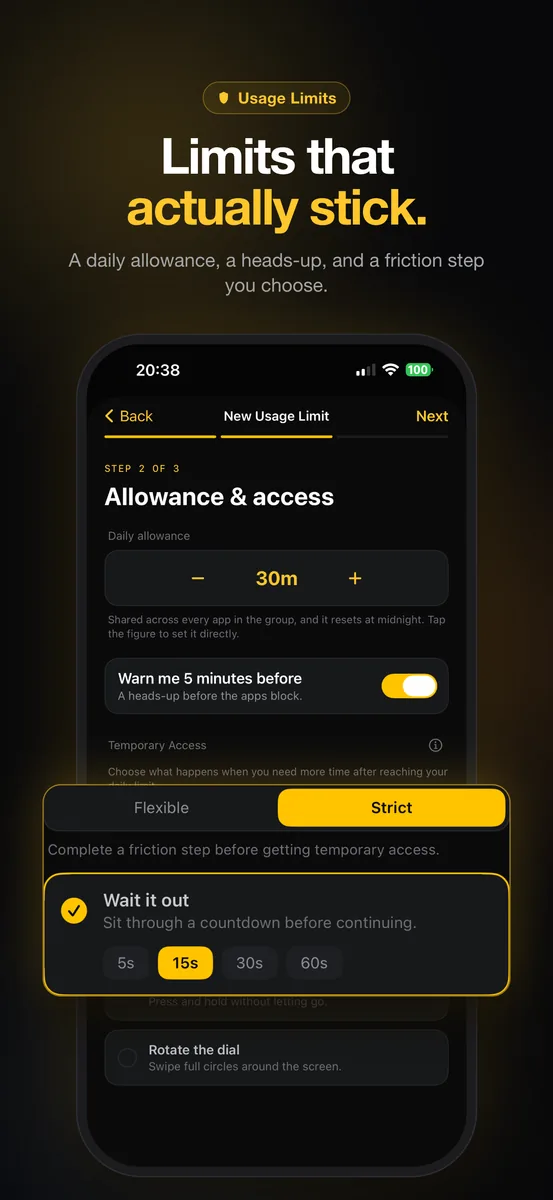
A daily allowance with a warning gives you time to finish before the limit.
5. Add a Pause Before You Get More Time
Many limits fail for a simple reason: they can be dismissed with one tap. When you are tired, one tap is nothing.
A short pause changes that. Waiting a few seconds, or completing a small step before more time unlocks, gives you a moment to notice what you are about to do. Often that moment is enough.
Before asking for more time
Ask yourself: What will I do with the next few minutes?
The goal is not to make access impossible. It is to make the automatic choice slightly slower than the intentional one.
6. Replace the Habit With Something Easier to Reach
Time you take away from your phone needs somewhere to go. If nothing else is easy to reach, the phone wins by default.
You can:
- Charge your phone outside the bedroom and keep a book on the nightstand
- Leave a notebook on your desk for the thoughts that usually send you to your phone
- Keep headphones and a podcast ready for walks
- Leave a puzzle, sketchbook, or instrument somewhere visible

Make the better choice the closest one, and leave the phone outside the bedroom.
If late-night news checking is the hardest part, read our guide to doomscrolling and how to stop it for ways to stay informed without staying stuck.
A Simple Plan to Reduce Screen Time This Week
You do not need to change everything at once. Try this for seven days:
- Pick the two apps that take the most unwanted time
- Write down the one time of day when they are hardest to resist
- Schedule a block for that time
- Give one of the apps a daily allowance with a warning before it runs out
- Move your charger out of the bedroom
- At the end of the week, keep what worked and adjust what did not
If the plan does not stick, do not reach for more willpower. Make the setup slightly stronger instead: an earlier schedule, a smaller allowance, or a longer pause before extra time.
What If You Keep Overriding Your Own Limits?
It probably will happen occasionally. Overriding a limit now and then is normal, especially on difficult days.
If it happens every day, the setup is too easy to undo in the moment. You can:
- Move from a flexible friction step to a stricter one
- Start the evening block earlier, before you are tired
- Remove the app from your home screen so it takes more steps to open
- Check whether the allowance is realistic, then set one you can keep
A limit that holds most days is far more useful than a perfect limit you abandon.
Frequently Asked Questions
What counts as screen time?
Screen time is any time you spend looking at a screen, but not all of it matters equally. Time you choose on purpose, such as a video call or a film you planned to watch, is usually fine. The screen time worth reducing is the automatic kind that you would not have chosen if you had stopped to think.
What is the best way to reduce screen time?
The most reliable way is to make decisions in advance instead of in the moment. Schedules that block distracting apps at your hardest times, daily allowances for the apps you overuse, and a short pause before extra time all do the work that willpower struggles with.
How much screen time is too much?
There is no single number that fits everyone, because work, study, and staying in touch all happen on screens. A more useful test is how your phone use affects you: if it crowds out sleep, focus, or time with people, it is worth reducing, whatever the total.
How can I limit screen time without deleting apps?
Keep the apps, but change when and how easily you can open them. Schedule blocks for the hours that matter, give the apps you overuse a daily limit, and add friction before extra time, so the apps are still there when you actually want them.
Less Screen Time Without the Daily Fight
You do not have to win the same argument with your phone every evening. Decide once which screen time you want less of, put your hardest hours on a schedule, and give the apps you overuse a sensible limit. The setup will not be perfect, and it does not need to be. It only needs to make the better choice the easier one.
If you want that kind of setup on iPhone, BlockMyApps can run your schedules and daily limits for you, so reducing screen time stops depending on willpower.