Imagine you’ve opened your coursework on your laptop, then reached for your phone instead of starting. A quick look turns into an unplanned break. Later, you check Screen Time on iPhone and decide you need a stricter limit.
But that number may include time on your Mac, too. Apple’s iOS 27 guide says Share Across Devices shares usage, schedules, and allowances across supported Apple devices signed into the same Apple Account.
The device in your hand may not define the scope of your report.
Check Device Sharing in Screen Time on iPhone
Decide what needs a boundary: the phone distraction that interrupts your coursework, or distracting activity across your Apple devices. You don’t have to treat laptop work and an unplanned phone break as the same problem.
Quick check for iOS 27: Open Settings > Screen Time > Manage Screen Time and check Share Across Devices. Following Apple’s guide, keep sharing on for shared usage and settings across devices, or turn it off to manage them separately.

A boundary for your phone need not cover every device you use.
Read the Report Before Picking a Limit
Imagine you open a social app while deciding how to start your coursework. You switch to another, and the assignment is still waiting when you look up. In that scenario, the useful boundary is around the detour—not every minute you spent using a screen.
First, review a relevant report once. In iOS 27, open Settings > Screen Time > Daily Average and choose Day or Week, as described in Apple’s guide. For a coursework boundary, look at a class day or a week that includes classes, rather than a weekend with different plans. This is a setup decision, not a new daily tracking habit.
Then choose an allowance for the app you want less time in. If your detour starts in a particular social app, start there—not with a blanket promise to shrink the whole total. Decide how much time you want to give that app on a class day. The aim is to keep the phone break from taking over, not to cut useful coursework time.
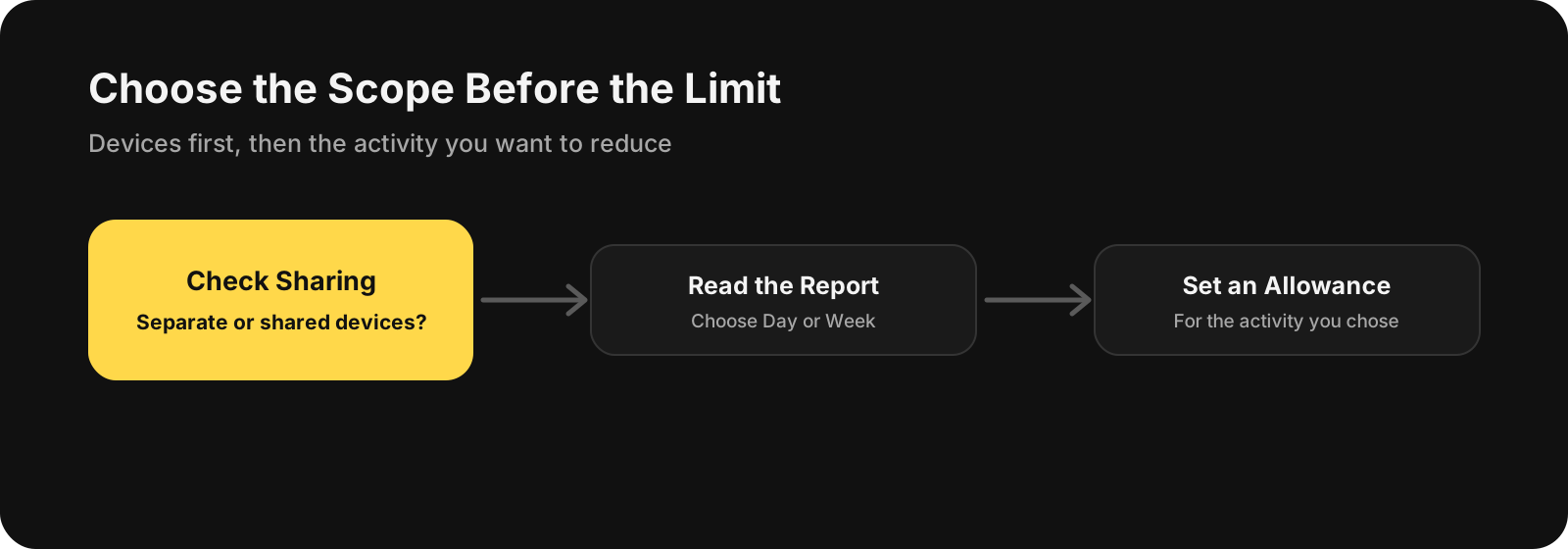
Choose what counts before deciding how much of it you want.
Once you’ve picked those distractions, app blocking is one way to put the decision into practice. If you want a separate iPhone option, BlockMyApps can block the apps you choose.
For the habit side, see how to reduce screen time without relying on willpower. If the problem is getting stuck in a feed, our guide to breaking the endless-scroll habit covers that rather than the reporting settings.
An Early Block Can Be a Different Problem
One person in a February 2026 r/iphonehelp thread reported being blocked after 16 minutes across four social apps despite a two-hour daily limit. They said turning off Share Across Devices hadn’t helped. Checking device sharing isn’t the same as troubleshooting an unexplained early block.
Back at that open assignment, you’ve chosen something more specific than “use my phone less”: an allowance for the social app you reach for instead of starting. That’s the detour you want to shorten—not the time spent on coursework.